


lPlayer - Offline Video Player
Category : LifestyleVersion: 1.3.5
Size:33.00MOS : Android 5.1 or later
Developer:snap game team
 Download
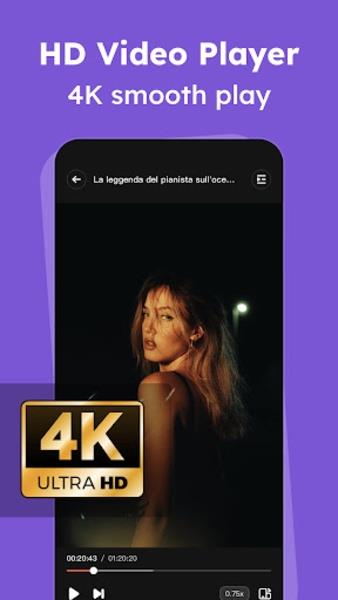
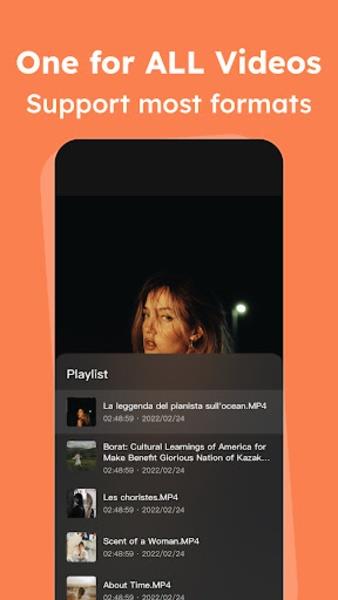
 Experience seamless video playback with lPlayer - Offline Video Player, an Android app designed for convenience and simplicity. Granting storage permissions allows the app to access your gallery, enabling you to easily play videos directly from your device. This versatile player supports various file formats, including .mkv, .wmv, .mp4, .avi, and .flv, ensuring compatibility with any video you have. With the option to adjust image quality, replay videos, and control playback speed, volume, and brightness, lPlayer - Offline Video Player puts you in command. Moreover, the app offers an integrated browser, DuckDuckGo, providing access to video-hosting websites like YouTube and Vimeo. Take your video watching experience to the next level by downloading today.
Features of lPlayer - Offline Video Player:
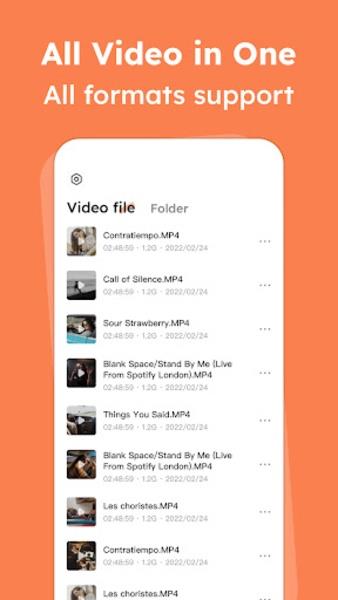
- Play videos from your gallery: lPlayer - Offline Video Player allows you to easily play videos that are saved on your Android device. It supports various video formats, ensuring compatibility with all your videos.
- Integrated browser: The app features an integrated browser, DuckDuckGo, which offers a privacy-focused browsing experience without compromising on search quality. You can browse websites where videos are hosted, such as YouTube or Vimeo, without leaving the app.
- High-quality video playback: The app strives to provide the best possible video quality, including support for 4K videos. You can also adjust the video quality according to your preferences using specific controls provided.
- Remove ads: Although the app displays ads, it offers a subscription plan to remove them. By subscribing, you can enjoy uninterrupted video playback without any annoying interruptions.
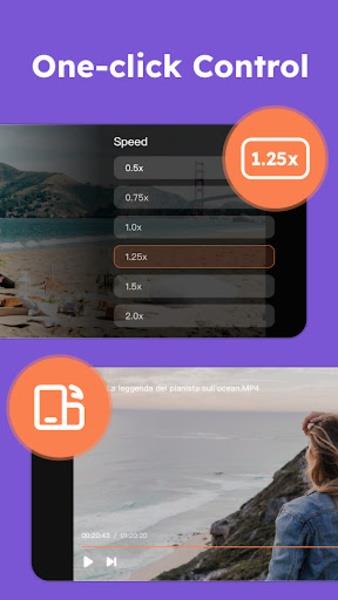
- Convenient controls: The app provides basic controls for video playback, including options to replay the video, change the speed, adjust the volume, and control the brightness. These controls ensure a seamless viewing experience.
- Easy to use: The app is designed to be user-friendly and convenient. Granting storage permissions allows the app to access your gallery easily, making it hassle-free to find and play videos.
In conclusion, lPlayer - Offline Video Player is a feature-rich and user-friendly app for Android devices. With the ability to play videos from your gallery, an integrated browser for easy video browsing, and high-quality video playback, this app offers a seamless and enjoyable video viewing experience. Additionally, the option to remove ads through a subscription plan enhances the overall user experience. Download now to unlock the best video quality and convenience.





- Raise Animals Codes (October 2025) 6 days ago
- Diamond Dreams Match officially launches to bring optional blockchain integration to match-3 luxury 6 days ago
- Former Bethesda Exec Says Gaming Subscription Services 'Worth Jack S***' Without Proper Support for Game Developers 1 weeks ago
- 2024 D&D Core Rulebooks Finalized 1 weeks ago
- Fields of Mistria's Third Major Update Drops July 21 1 weeks ago
- Andy Serkis Says New 'Lord of the Rings' Film Is Surprising Yet Faithful 1 weeks ago
-

Personalization / 1.0.0 / by DigitalPowerDEV / 11.10M
Download -

Lifestyle / 1.5 / by BetterPlace Safety Solutions Pvt Ltd / 9.60M
Download -

Video Players & Editors / v1.02 / by TateSAV / 13.80M
Download -

Productivity / 2.8 / 10.16M
Download




-
 All Passwords and Padlock Combinations in Lost Records: Bloom and Rage
-
 30 best mods for The Sims 2
-
 Best Android PS1 Emulator - Which PlayStation Emulator Should I Use?
-
 Leaked Footage Unveils Mythical Epic: Black Myth: Wukong
-
 Tokyo Game Show 2024 Dates and Schedule: Everything We Know So Far
-
 Android welcomes "Dynasty Legends" style game, "Otherworld Three Kingdoms"