

Floating Clock
Kategorie : PersonalisierungVersion: 1.1.5
Größe:1.90MBetriebssystem : Android 5.1 or later
Entwickler:DoubleSlit
 Herunterladen
 Wir stellen vor: Floating Clock, die unverzichtbare Android-App, die Ihrem Gerät Komfort und Anpassungsmöglichkeiten bietet. Mit Floating Clock müssen Sie sich keine Sorgen mehr machen, dass die reguläre Uhr ausgeblendet oder nicht sichtbar ist, wenn Sie Vollbild-Apps verwenden. Mit dieser einzigartigen App haben Sie die Möglichkeit, die Uhr einfach per Drag & Drop an die gewünschte Position auf dem Bildschirm zu ziehen, ihre Größe, Farbe und Schriftart zu ändern und sogar das Anzeigeformat auf 24 Stunden oder Sekunden anzupassen. Darüber hinaus ist die App völlig kostenlos und daher ein Kinderspiel für alle, die eine praktische und anpassbare Uhr auf ihrem Android-Gerät suchen. Zur Installation suchen Sie einfach im Google Play Store nach Floating Clock und klicken Sie auf „Installieren“. Lassen Sie sich diese vielseitige und benutzerfreundliche App nicht entgehen – probieren Sie Floating Clock noch heute aus!
Funktionen von Floating Clock:
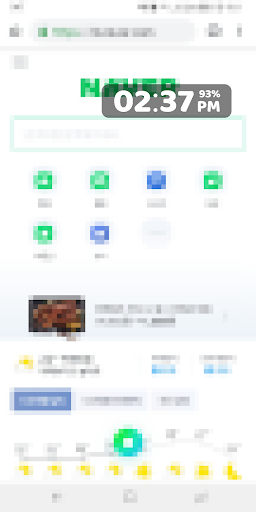
⭐️ Einzigartige Digitaluhr: Die App bietet eine Digitaluhr, die über allen anderen Apps auf Ihrem Android-Gerät angezeigt wird. Dies ist besonders nützlich für Vollbild-Apps, bei denen die reguläre Uhr möglicherweise ausgeblendet oder nicht sichtbar ist.
⭐️ Anpassbares Erscheinungsbild: Sie können die Textgröße, Farbe, Ränder und Schriftart der Uhr ganz einfach nach Ihren Wünschen ändern. Dadurch können Sie das Aussehen der Uhr individuell an Ihren Stil anpassen.
⭐️ Anzeigeformatoptionen: Die App bietet die Möglichkeit, das Anzeigeformat entweder auf 24 Stunden oder Sekunden einzustellen. Dadurch können Sie das Zeitformat auswählen, das Ihren Anforderungen entspricht.
⭐️ Drag-and-Drop-Funktionalität: Sie können die Position der Uhr auf dem Bildschirm einfach durch einfaches Ziehen und Ablegen ändern. Dadurch können Sie die Uhr an einem gut sichtbaren Ort platzieren.
⭐️ Uhrposition speichern: Mit der App können Sie die Position der Uhr speichern, sodass sie auch dann an derselben Stelle bleibt, wenn Sie zwischen Apps wechseln oder Ihr Gerät neu starten. Das erspart Ihnen das lästige ständige Nachjustieren der Uhrposition.
⭐️ Vielseitige Nutzung: Die App kann mit jeder App auf Ihrem Android-Gerät verwendet werden und eignet sich daher für Personen, die häufig Vollbild-Apps verwenden. Es bietet eine praktische und anpassbare Uhr, auf die jederzeit zugegriffen werden kann.
Zusammenfassend lässt sich sagen, dass Floating Clock eine fantastische App für Android-Benutzer ist, die eine praktische und anpassbare Uhr auf ihrem Gerät wünschen. Seine einzigartigen Funktionen, wie die Möglichkeit, die Uhr über alle anderen Apps zu zeichnen und die Möglichkeit, ihr Erscheinungsbild anzupassen, machen es zu einer herausragenden Wahl. Darüber hinaus ist die Nutzung der App kostenlos und somit für alle Benutzer zugänglich. Um Ihrem Android-Gerät eine neue und verbesserte Möglichkeit zur Anzeige der Uhrzeit zu geben, sollten Sie Floating Clock aus dem Google Play Store herunterladen.






- PlayStation Days of Play Sale: Erster Rabatt auf PS5 Pro und neue PS5-Konsolen-Bundles Vor 1 Wochen
- XD Inc stellt Heartopia vor – ein Life-Sim im Stil von Animal Crossing: New Horizons Vor 1 Wochen
- Tower Dominion: Bauen Sie Ihr eigenes Schlachtfeld-Defense Vor 1 Wochen
- Destiny 2 enthüllt Star Wars-Crossover-Pläne Vor 2 Wochen
- Liebe, zu Livy Kreuzworträtsel-Hinweis - Try Hard Guides Vor 2 Wochen
- Pokémon Go: Wild Areas kehren dieses Jahr mit einem neuen Event zurück Vor 2 Wochen
-

Mode Lifestyle / 3.17.0 / 10.52M
Herunterladen -

Personalisierung / 1.0.0 / by DigitalPowerDEV / 11.10M
Herunterladen -

Werkzeuge / 9.9.7 / 130.54M
Herunterladen -

Videoplayer und Editoren / v1.02 / by TateSAV / 13.80M
Herunterladen -

Mode Lifestyle / 1.5 / by BetterPlace Safety Solutions Pvt Ltd / 9.60M
Herunterladen -

Mode Lifestyle / 13.1 / 5.66M
Herunterladen -

Mode Lifestyle / v2.3.0 / by iMyFone / 26.39M
Herunterladen -

Business Office / 2.8 / 10.16M
Herunterladen
-
 Alle Passwörter und Vorhängeschlosskombinationen in Lost Records: Bloom and Rage
-
 30 beste Mods für die Sims 2
-
 Bestes Android PS1 Emulator – Welchen PlayStation-Emulator sollte ich verwenden?
-
 Durchgesickertes Filmmaterial enthüllt mythisches Epos: Black Myth: Wukong
-
 Termine und Zeitplan der Tokyo Game Show 2024: Alles, was wir bisher wissen
-
 Android begrüßt das Spiel im „Dynasty Legends“-Stil, „Otherworld Three Kingdoms“