

Weather & Clock Widget
Kategorie : WetterVersion: 6.5.4.6
Größe:14.3 MBBetriebssystem : Android 5.0+
Entwickler:Interactive Saudi Arabia
 Herunterladen
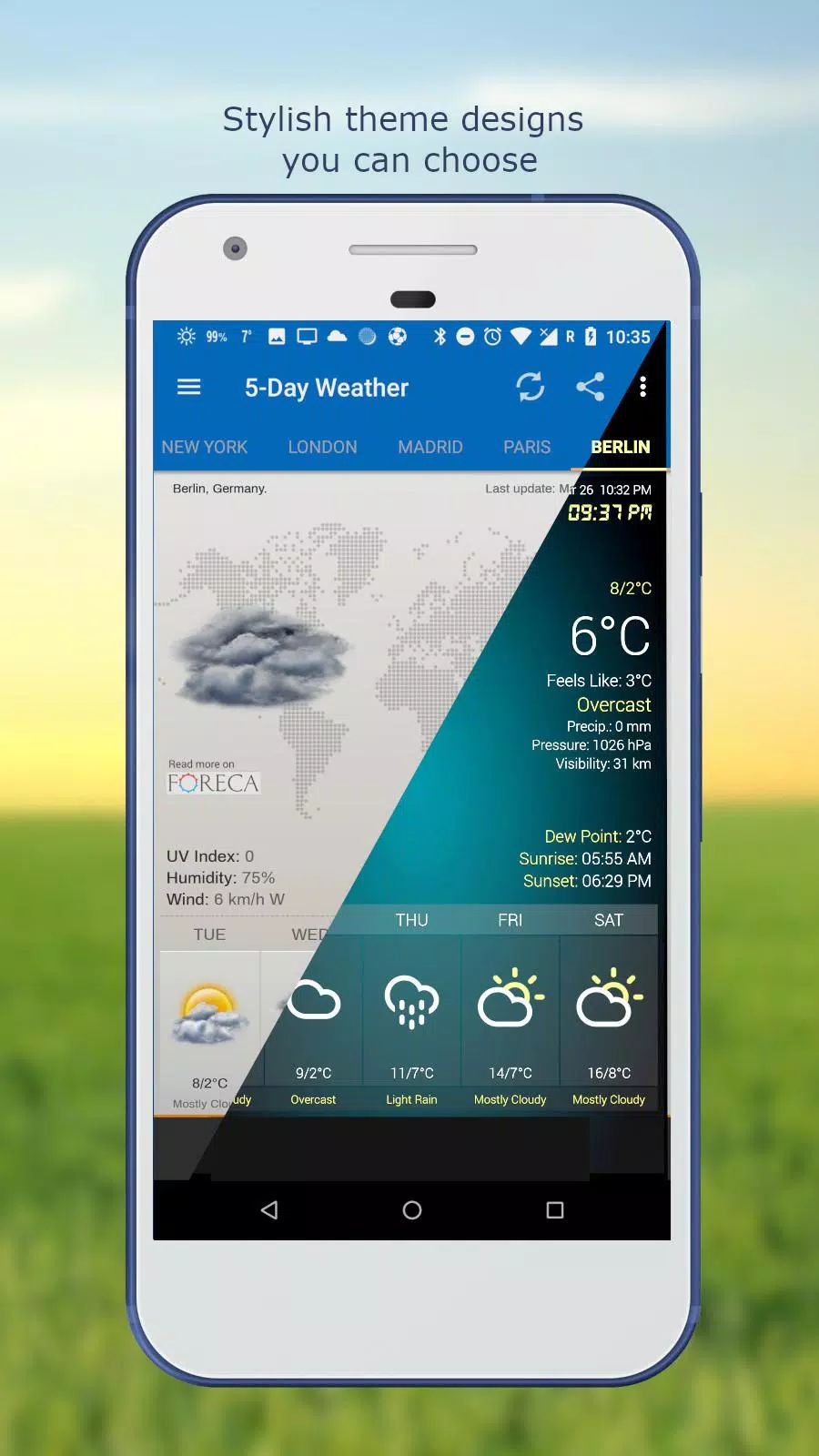
 Here's a clear, organized summary of the Weather App – Real-Time Forecast & Widgets (Version 6.5.4.6, updated Sep 23, 2024):
🌤️ Weather App – Real-Time Forecast & Customizable Widgets
Stay ahead of the weather with precision, elegance, and full control.
🌐 Key Features
-
Auto-Location Detection
Instantly detects your current location using GPS and network data for fast, accurate weather updates. -
Manual Location Search
Easily find any city, town, or ZIP code — perfect for tracking weather anywhere in the world. -
Multiple Weather Data Sources
Aggregates forecasts from trusted providers for the most accurate and reliable weather information. -
Real-Time Weather Conditions
Get up-to-the-minute data including:- Temperature (°C / °F)
- Humidity (%)
- Atmospheric pressure
- Visibility
- Precipitation (amount & type)
- UV Index
- Dew Point
- Wind speed & direction (with customizable units: mph, km/h, knots, m/s)
-
Smart Forecast Tools
- Hourly Forecast (24-hour view) – Plan your day with precision.
- 5-Day & 10-Day Forecasts – Long-range planning with intuitive interactive charts and graphs.
- Sunrise & Sunset Times – Know when the day begins and ends.
-
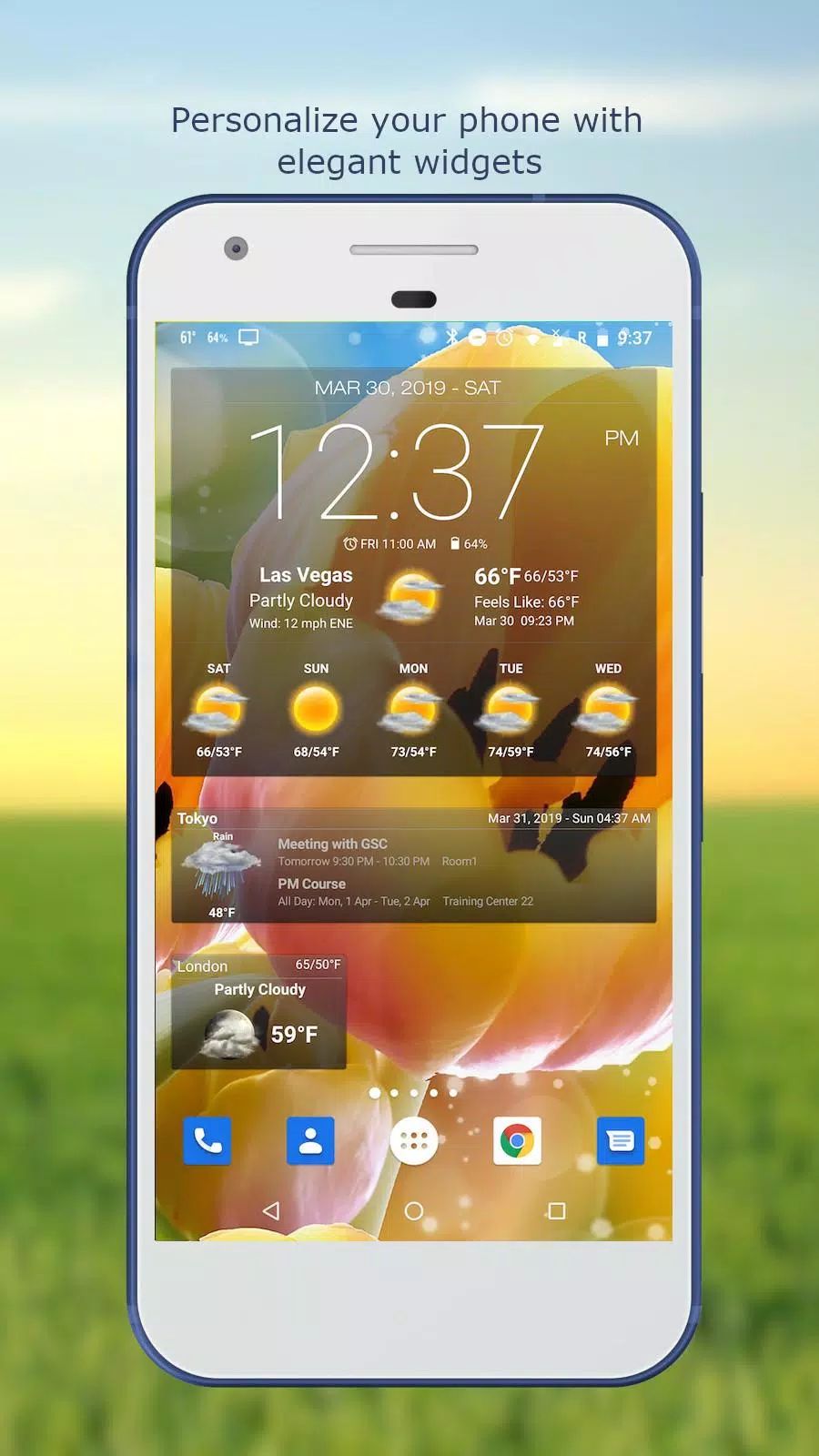
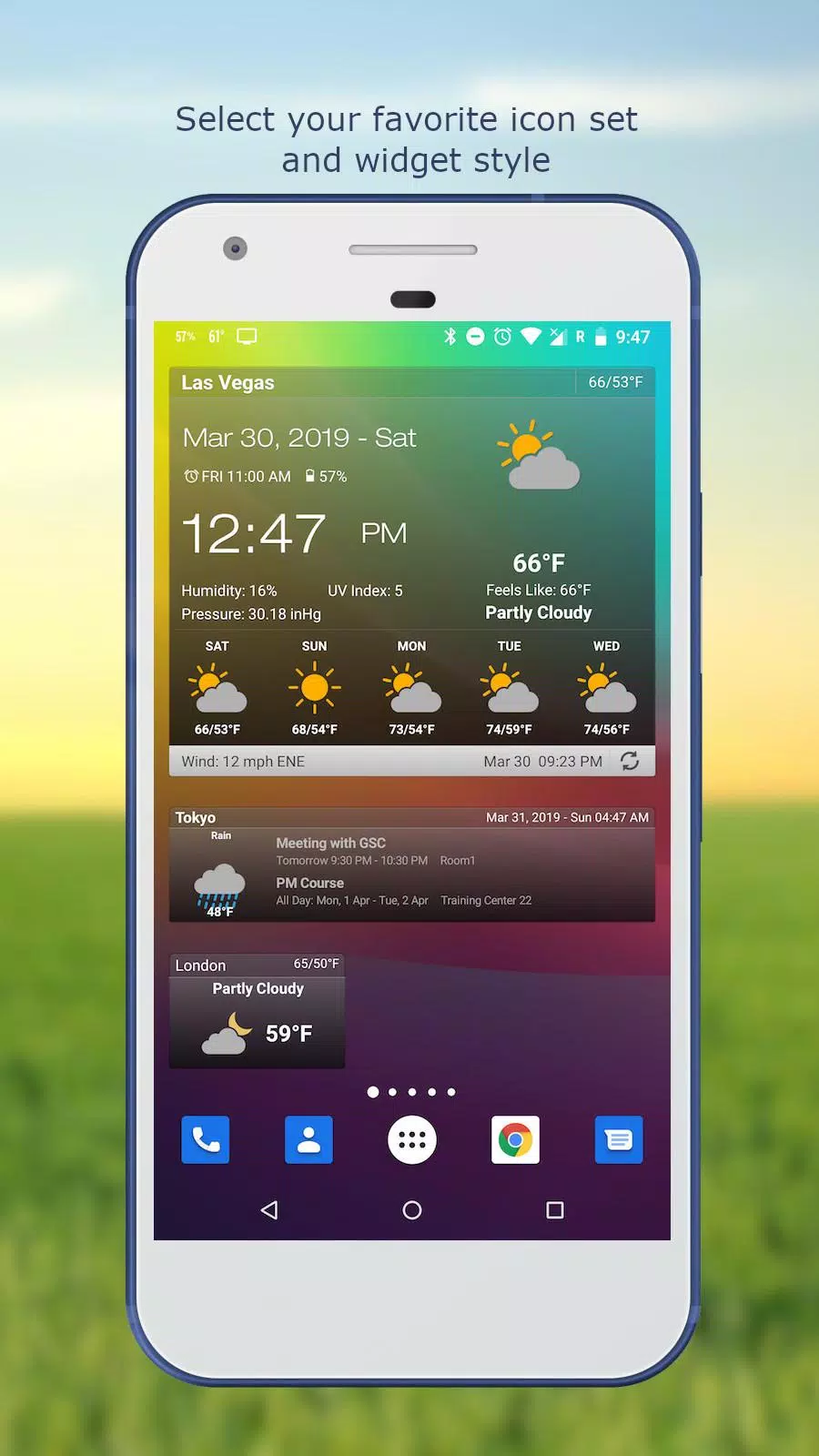
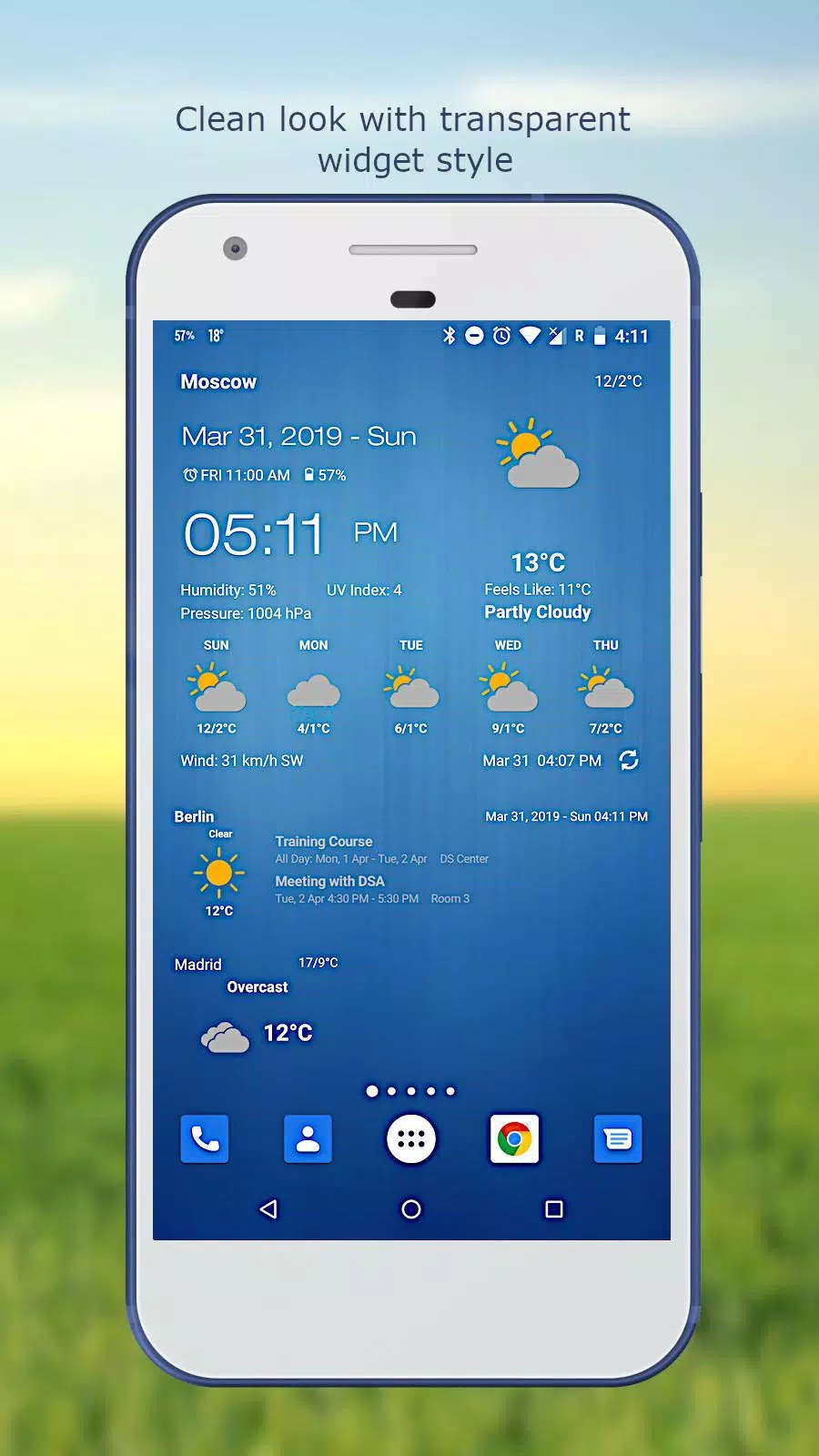
Smart Home Screen Widgets (Fully Customizable)
Personalize your home screen with beautiful, dynamic widgets that display:- Current weather conditions
- Hourly & daily forecast summaries
- Moon phase (waxing, waning, full, new)
- Date & time (customizable fonts)
- Next alarm
- Battery level
- Calendar events (optional sync)
-
Live Status Bar Integration
Display current temperature directly in the notification bar for quick glances. -
Weather Alerts
Receive instant notifications for severe weather, storms, rain, snow, and other critical conditions. -
Multi-Location Support
Track weather for multiple cities or locations simultaneously. -
Customization & Themes
Choose from multiple themes and design your app and widgets exactly how you like — fonts, colors, layouts. -
Flexible Update Settings
Control how often the app refreshes:- 15 min | 30 min | 1 hr | 3 hrs | 6 hrs | 9 hrs | 12 hrs | Manual Only
- Opt to update only over Wi-Fi and pause updates when roaming to save data.
-
Social Sharing
Share weather details or your current location with friends and family. -
Interactive Charts
Visualize temperature trends, precipitation, wind patterns, and more with smooth, swipeable graphs.
📦 What’s New in Version 6.5.4.6 (Released: Sep 23, 2024)
- ✅ Numerous bug fixes
- ✅ Improved app performance and stability
- ✅ Additional enhancements for smoother user experience
- ✅ Minor UI refinements and optimization
Note: This update focuses on reliability and speed — no major feature additions, but a more polished experience overall.
❓ Frequently Asked Questions (FAQ)
✅ Why Users Love This App:
- Beautiful, modern design
- Highly accurate forecasts
- Powerful customization
- Minimal battery and data usage
- Perfect balance of style and function
Download now and turn your phone into a personal weather station — weather-aware, smart, and stylish.
Available on Android and compatible tablets.
🌤️ Know the weather. Own your day.




- Patch-Update 0.3.4 Fügt Spielzeugladen, „Edles Zeug“ und Mehr hinzu Vor 2 Wochen
- Sieben Ritter: Der müßige Abenteuerstart des allwissenden Lesers mit neuen Helden und zurückkehrenden Charakteren aus dem Event des letzten Jahres Vor 2 Wochen
- STALKER Enhanced Edition: Das nächste Upgrade der Generation Vor 2 Wochen
- Drehbuch zu „The Batman 2“ abgeschlossen: Matt Reeves teilt Bild veröffentlicht Vor 2 Wochen
- LEGO Batman: Open-World Gotham has officially been revealed as an upcoming entry in the beloved LEGO video game series, bringing the iconic Dark Knight and his rogues' gallery to a fully open-world rendition of Gotham City. Developed by TT Games and published by Warner Bros. Games, the game promises a massive, interactive cityscape where players can explore every nook and cranny of Gotham — from the Batcave beneath Wayne Manor to the towering skyline of the city’s financial district. Key Features: Vast Open-World Gotham: The game features a massive, seamless version of Gotham City, faithfully recreated with LEGO’s signature whimsical charm. Players can freely roam on foot, drive iconic vehicles like the Batmobile and Batskiff, or even fly as Batman using the Batsuit’s jet pack. Familiar Heroes & Villains: Join Batman, Robin, Nightwing, Batgirl, and other members of the Bat-Family in their mission to protect Gotham. Fans will also face off against legendary villains such as the Joker, Two-Face, Penguin, Riddler, Scarecrow, and Lex Luthor (who may have a surprise role in the story). Dynamic Story Mode: The narrative blends elements from classic Batman comics, animated series, and the DC Animated Universe. Players will experience a fresh take on Gotham’s greatest heroes and villains, with a story that evolves based on choices made throughout gameplay. Co-Op & Multiplayer: Supports up to four players in local or online co-op, allowing friends to team up as their favorite superheroes and take on missions together. Unique team-up abilities and combo moves let players create unstoppable hero duos. RPG Elements & Progression: The game introduces RPG-style progression, letting players unlock new gadgets, upgrade abilities, and customize their hero’s gear. Completing side missions and collecting LEGO bricks helps expand your arsenal and unlock secret areas. Riddler Challenges & Side Missions: The Riddler has scattered puzzles and challenges across Gotham — solve them all to earn rare rewards and unlock new storylines. Expect parkour races, mini-games, and hidden collectibles scattered throughout the city. Iconic LEGO Humor: As always, the game blends superhero drama with the tongue-in-cheek humor LEGO is known for. Expect funny banter, silly animations, and exaggerated villainy that keeps the tone fun and family-friendly. Release Date & Platforms: LEGO Batman: Open-World Gotham is set to launch in 2025 on PlayStation 5, Xbox Series X|S, Nintendo Switch, and PC. A special collector’s edition will include a mini-figure set, digital artbook, and exclusive in-game costumes. Developer Insight: “With LEGO Batman: Open-World Gotham, we’re not just building a city — we’re building a world where every hero and villain has a place,” said Ben Irving, Creative Director at TT Games. “It’s the most ambitious LEGO game we’ve ever made, combining the depth of a true open-world adventure with the joy and creativity that LEGO fans love.” What’s Next? A new cinematic trailer is expected to debut at The Game Awards 2024, offering a first look at gameplay, voice cast (including returning stars from previous LEGO Batman games), and the full scope of Gotham’s transformation into a LEGO playground. Whether you’re a longtime Batman fan or a newcomer to the caped crusader’s world, LEGO Batman: Open-World Gotham promises to be a fun, expansive, and unforgettable adventure. “Gotham needs a hero… and he’s got a whole city to save.” 🦇 Gotham City, here we come! Vor 2 Wochen
- Die besten kostenlosen Test-Streams im Live-TV 2025 Vor 3 Wochen
-

Mode Lifestyle / 3.17.0 / 10.52M
Herunterladen -

Werkzeuge / 9.9.7 / 130.54M
Herunterladen -

Personalisierung / 1.0.0 / by DigitalPowerDEV / 11.10M
Herunterladen -

Videoplayer und Editoren / v1.02 / by TateSAV / 13.80M
Herunterladen -

Mode Lifestyle / 1.5 / by BetterPlace Safety Solutions Pvt Ltd / 9.60M
Herunterladen -

Business Office / 1.5 / 51.00M
Herunterladen -

Business Office / 2.8 / 10.16M
Herunterladen -

Mode Lifestyle / v2.3.0 / by iMyFone / 26.39M
Herunterladen
-
 Alle Passwörter und Vorhängeschlosskombinationen in Lost Records: Bloom and Rage
-
 30 beste Mods für die Sims 2
-
 Bestes Android PS1 Emulator – Welchen PlayStation-Emulator sollte ich verwenden?
-
 Termine und Zeitplan der Tokyo Game Show 2024: Alles, was wir bisher wissen
-
 Durchgesickertes Filmmaterial enthüllt mythisches Epos: Black Myth: Wukong
-
 Android begrüßt das Spiel im „Dynasty Legends“-Stil, „Otherworld Three Kingdoms“