


Switch Access
Categoría : HerramientasVersión: 1.15.0.647194712
Tamaño:10.5 MBSO : Android 8.0+
Revelador:Google LLC
 Descargar
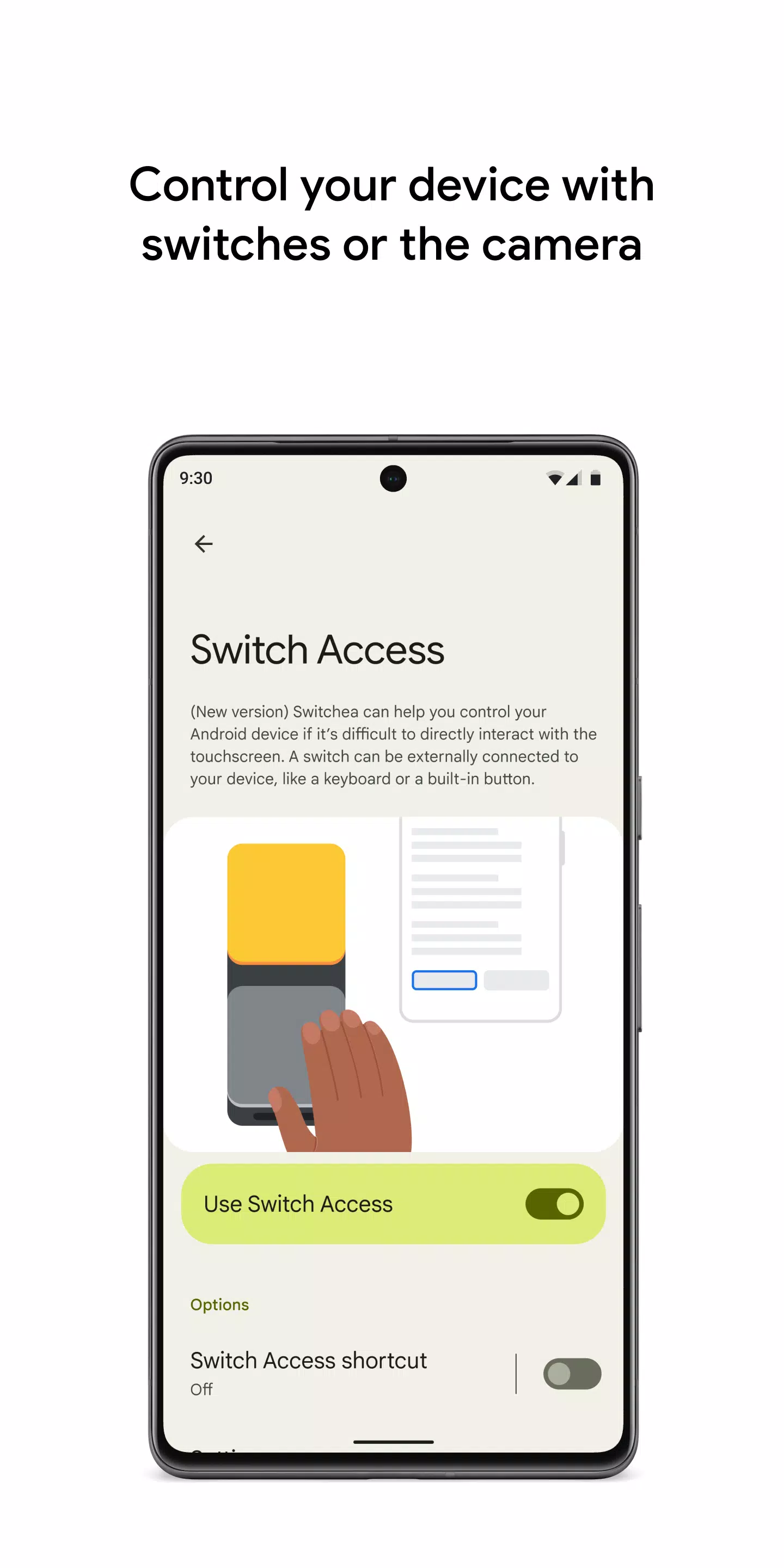
 Controle su dispositivo con interruptores o la cámara frontal, mejorando su accesibilidad en su dispositivo Android. Con Switch Access, puede navegar su teléfono o tableta con interruptores o la cámara frontal, lo que le permite seleccionar elementos, desplazarse, ingresar texto y más, incluso si la interacción directa con la pantalla táctil es un desafío.
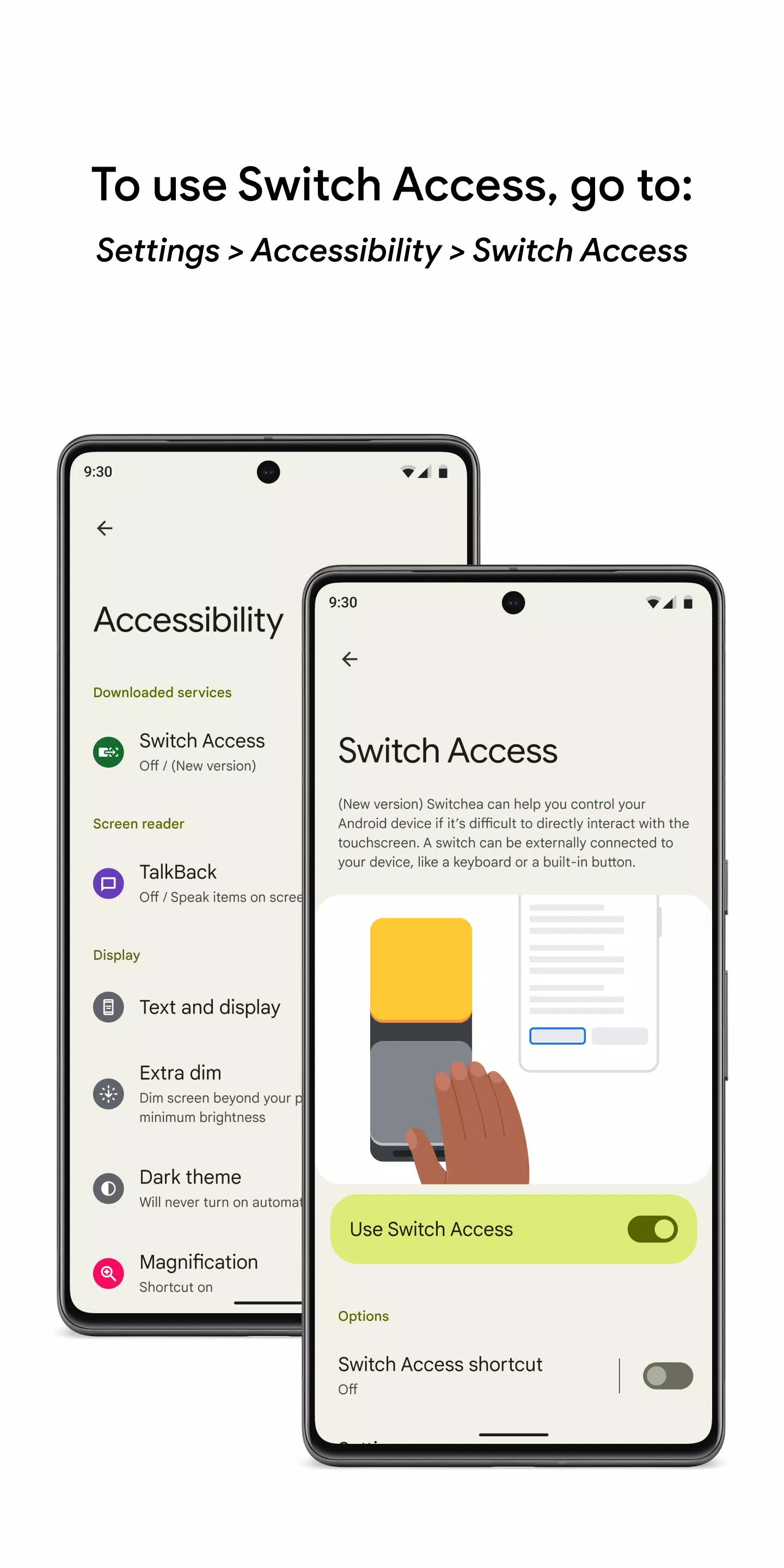
Para comenzar a usar el acceso al interruptor:
- Abra la aplicación Configuración de su dispositivo.
- Navegue a Accesibilidad> Acceso al interruptor.
Configurar un interruptor
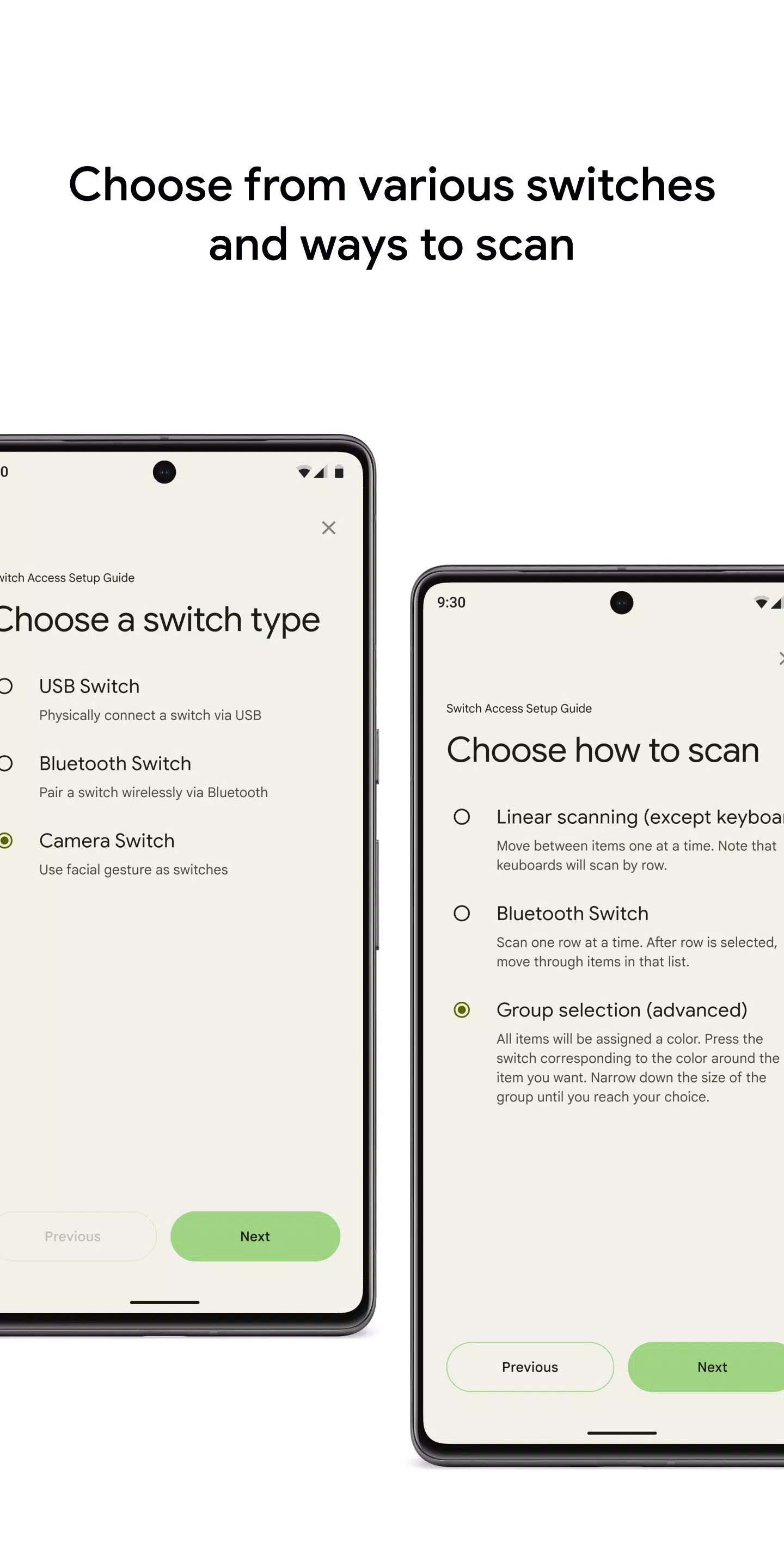
El cambio de acceso escanea los elementos en su pantalla, resaltando cada uno hasta que seleccione uno. Puede configurar diferentes tipos de interruptores:
Interruptores físicos:
- Dispositivos USB o Bluetooth, como botones o teclados.
- Opciones en el dispositivo como botones de volumen.
Interruptores de cámara:
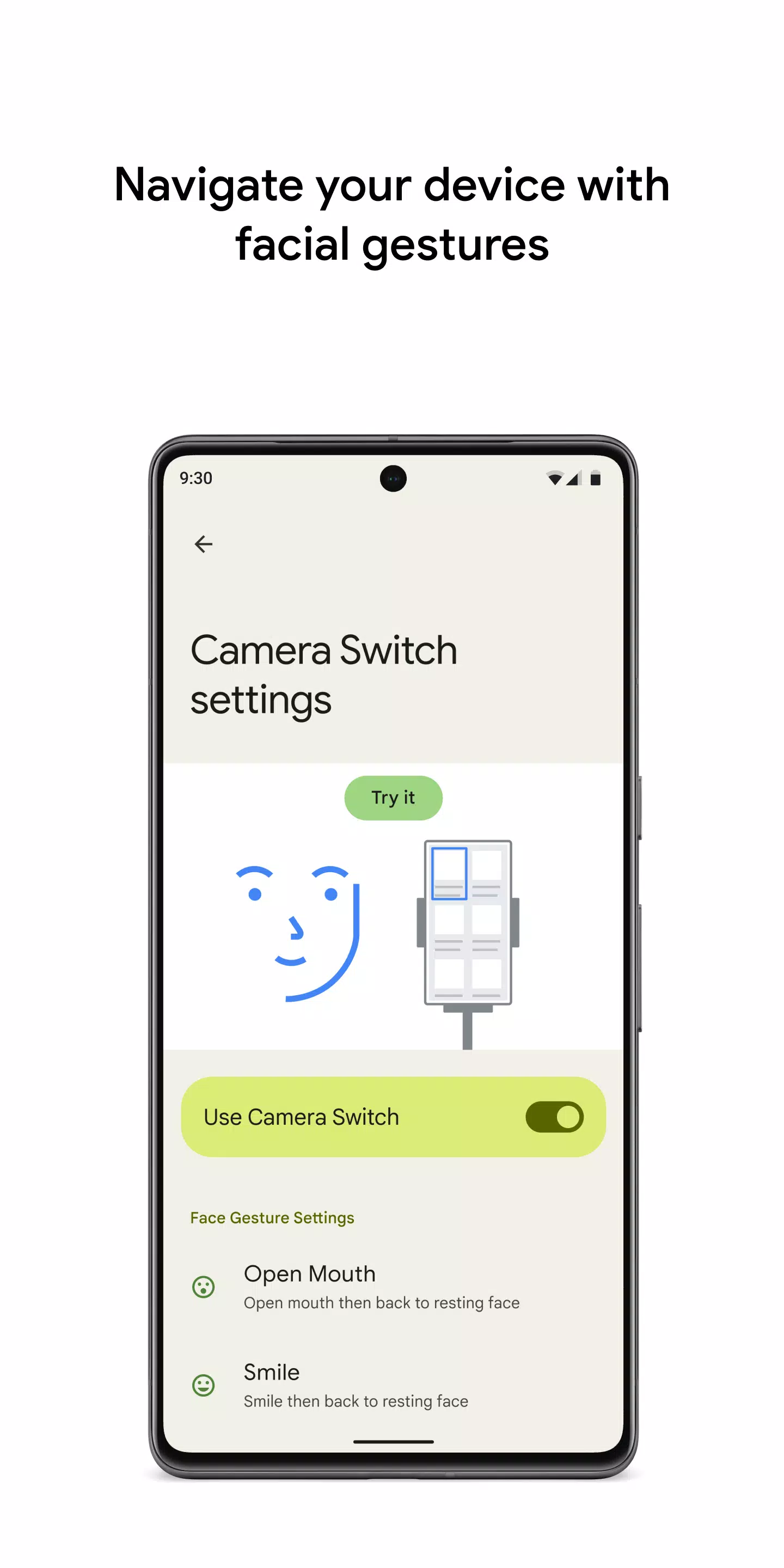
- Use gestos faciales como abrir la boca, sonreír, levantar las cejas o mirar a la izquierda, a la derecha o al alza.
Escanear su dispositivo
Una vez que su interruptor está configurado, puede interactuar con su pantalla de varias maneras:
- Escaneo lineal: se mueve a través de los elementos uno a la vez.
- Escaneo de columna de fila: escanea las filas primero, luego elementos dentro de la fila seleccionada.
- Escaneo de puntos: utiliza líneas móviles para identificar una ubicación horizontal y vertical específica, seguido de presionar "Seleccionar".
- Selección de grupo: asigna interruptores a agrupaciones de color. Los elementos en la pantalla están codificados por colores, y presiona el interruptor para el color alrededor de su elemento deseado, reduciendo hacia abajo hasta que haga su selección.
Usa los menús
Al seleccionar un elemento, aparece un menú con opciones como seleccionar, desplazar, copiar, pegar y más. Además, un menú de la pantalla superior lo ayuda a navegar su dispositivo, lo que le permite abrir notificaciones, regresar a la pantalla de inicio, ajustar el volumen y más.
Navegue con interruptores de cámara
Aproveche los interruptores de la cámara para navegar por su teléfono con gestos faciales. Explore o seleccione aplicaciones con la cámara frontal de su teléfono. Puede personalizar la sensibilidad y la duración de cada gesto para satisfacer sus necesidades.
Atajos de registro
Puede grabar gestos táctiles y asignarlos a un interruptor o acceder a ellos desde un menú. Estos gestos pueden incluir pellizcar, zoom, desplazamiento, deslizamiento, doble golpe y más. Esta característica le permite realizar acciones frecuentes o complejas con facilidad, como grabar un gesto para deslizar la izquierda dos veces para realizar dos páginas de un libro electrónico.
Aviso de permisos
- Servicio de accesibilidad: como servicio de accesibilidad, esta aplicación puede observar sus acciones, recuperar el contenido de la ventana y monitorear el texto que escriba.


This app is a game-changer for accessibility! 🔥 I can finally navigate my tablet using the front camera - works surprisingly well even in low light. Still getting used to the switch controls but the customization options are impressive. Minor lag sometimes but overall 4.5/5 experience.


Sin Gears of War: E-Day en Xbox 2025, pero lanzamiento confirmado para 2026

GTA 6 retrasado a 2026: Los mejores juegos de 2025
- La venta PlayStation Days of Play incluye el primer descuento en la PS5 Pro y nuevos paquetes de la consola PS5 Hace 6 días
- XD Inc. Presenta Heartopia, un simulador al estilo de Animal Crossing: New Horizons Hace 1 semanas
- Dominio de la Torre: Construye Tu Propia Zona de Defensa en el Campo de Batalla Hace 1 semanas
- Destiny 2 revela su colaboración con Star Wars Hace 1 semanas
- Pista de crucigrama para "Love" de Livy - Try Hard Guides Hace 1 semanas
- Las Zonas Silvestres de Pokémon Go regresan este año en un evento próximo Hace 2 semanas
- Ahorra un 40% en el Wolfbox Mega Flow 100, soplador eléctrico inalámbrico con carga USB Hace 2 semanas
- Anillo de Fuego: Prometheus emerge en China con un beta lleno de misterio Hace 2 semanas
- El matchmaking de Battlefield 6 incluirá SBMM, además de ping, ubicación y disponibilidad del servidor Hace 2 semanas
-

Vida de moda / 3.17.0 / 10.52M
Descargar -

Personalización / 1.0.0 / by DigitalPowerDEV / 11.10M
Descargar -

Herramientas / 9.9.7 / 130.54M
Descargar -

Reproductores y editores de vídeo / v1.02 / by TateSAV / 13.80M
Descargar -

Vida de moda / 1.5 / by BetterPlace Safety Solutions Pvt Ltd / 9.60M
Descargar -

Vida de moda / 13.1 / 5.66M
Descargar -

Vida de moda / v2.3.0 / by iMyFone / 26.39M
Descargar -

Oficina Comercial / 2.8 / 10.16M
Descargar
-
 Todas las contraseñas y combinaciones de candados en discos perdidos: Bloom y Rage
-
 30 mejores modificaciones para los Sims 2
-
 Mejor Android PS1 Emulator: ¿Qué emulador de PlayStation debo usar?
-
 Imágenes filtradas revelan una epopeya mítica: Black Myth: Wukong
-
 Fechas y calendario del Tokyo Game Show 2024: todo lo que sabemos hasta ahora
-
 Android da la bienvenida al juego estilo "Dynasty Legends", "Otherworld Three Kingdoms"