>  アプリ >  仕事 >  EPrint Smart HPrinter Service
EPrint Smart HPrinter Service

EPrint Smart HPrinter Service

カテゴリー : 仕事バージョン: 2.4

サイズ:18.75MOS : Android 5.0 or later

開発者:Pixster Studio

3.9
ダウンロード
アプリケーションの説明

ePrint - モバイル プリンター & スキャン: Android 用の包括的な印刷ソリューション

今日のペースの速いデジタル世界では、モバイル デバイスからドキュメントや画像を直接印刷する機能がますます重要になっています。 Pixster Studio は、Android ユーザーのニーズに応える、ePrint - モバイル プリンター & スキャンという革新的なアプリケーションを開発しました。この記事は、ePrint が提供する主な機能の詳細な概要を提供し、さまざまなファイル形式の印刷やさまざまな印刷方法へのアクセスにおける ePrint の多用途性と利便性を紹介することを目的としています。

便利な印刷互換性

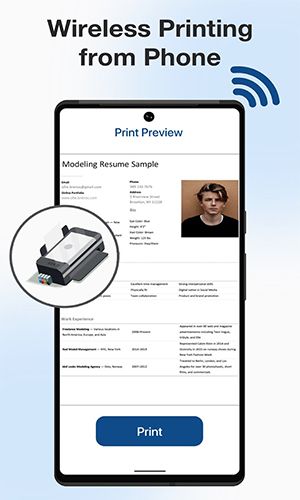
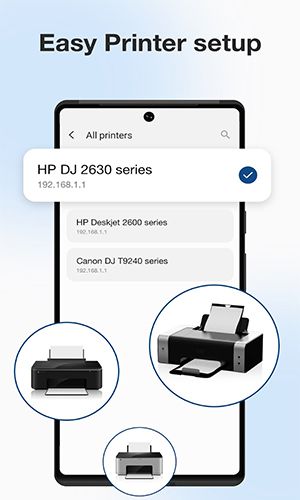
ePrint を使用すると、ユーザーは Android スマートフォンやタブレットからインクジェット、レーザー、サーマル プリンタなどの幅広いプリンタで印刷できます。この幅広い互換性により、ユーザーは専用のコンピューターを必要とせずにドキュメントや画像を簡単に印刷できるようになります。

写真や画像を簡単に印刷

ePrint を使用すると、ユーザーは Android デバイスに保存されているお気に入りの写真や画像を簡単に印刷できます。サポートされているファイル形式には JPG、PNG、GIF、WEBP が含まれており、モバイル デバイスで一般的に使用されるさまざまな画像形式との互換性が保証されています。

ドキュメントの印刷

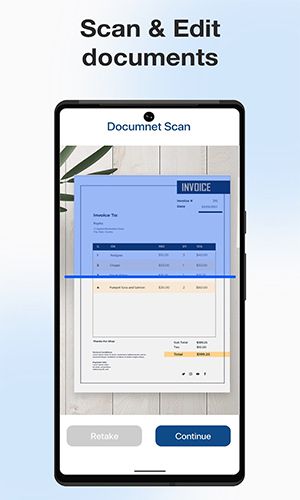
ePrint を使用すると、重要なドキュメントの印刷が容易になり、ユーザーは PDF ファイルや Microsoft Office Word、Excel、PowerPoint ドキュメントを印刷できるようになります。このドキュメント形式の包括的なサポートにより、重要なビジネス レポート、プレゼンテーション、その他の重要なファイルを Android デバイスから直接シームレスに印刷できます。

1 枚のシートに複数の画像を印刷する

印刷リソースを最適化し、用紙を節約するために、ePrint は 1 枚のシートに複数の画像を印刷する機能を提供します。この機能は、写真コラージュ、コンタクト シート、またはサムネイル画像のコレクションを印刷する場合に役立ち、効率を高め、無駄を最小限に抑えることができます。

多彩なファイル印刷

ePrint アプリを使用すると、保存されたファイル、電子メールの添付ファイル (PDF、DOC、XSL、PPT、TXT)、Google ドライブやその他の一般的なクラウド ストレージ プロバイダーなどのクラウド サービスからのファイルなど、さまざまな種類のファイルを印刷できます。この機能により、複数のプラットフォームに保存されているファイルに簡単にアクセスでき、必要なときにいつでもすばやく印刷できるようになります。

Web ページの印刷

ePrint には Web ブラウザが組み込まれており、ユーザーは Android デバイスから Web ページを直接印刷できます。この機能は、記事、オンライン領収書、旅行日程表、または紙に便利に保存する必要があるその他の Web コンテンツを印刷する場合に特に便利です。

幅広い印刷オプション

このアプリは複数の印刷方法を提供しており、ユーザーは WiFi、Bluetooth、または USB-OTG に接続されたプリンター経由で印刷できます。この柔軟性により、ユーザーは、特定のニーズや利用可能なリソースに合わせて、さまざまなプリンターに簡単に接続して印刷できるようになります。

他のアプリとの統合

ePrint は、印刷メニューと共有メニューを通じて他の Android アプリケーションとシームレスに統合します。この統合により、ユーザーは互換性のあるアプリ内から ePrint の印刷機能に直接アクセスできるようになり、印刷プロセスが合理化され、全体的なユーザー エクスペリエンスが向上します。

結論

Pixster Studio が開発した ePrint - モバイル プリンター & スキャン アプリは、Android デバイスからの印刷をシームレスかつ効率的に行うための幅広い機能を提供します。さまざまな種類のプリンターとの互換性、複数のファイル形式のサポート、他のアプリとの統合により、ユーザーの多用途性と利便性が保証されます。写真、ドキュメント、Web ページ、またはさまざまなソースからのファイルを印刷する場合でも、ePrint は、Android ユーザーがデジタル コンテンツを簡単かつ効果的に有形の印刷物に変換できるようにする包括的なソリューションを提供します。
EPrint Smart HPrinter Service スクリーンショット 0
EPrint Smart HPrinter Service スクリーンショット 1
EPrint Smart HPrinter Service スクリーンショット 2
最新ニュース
Cross-platform play features refer to theCriticalSection in video games that allow players on different gaming platforms (such as PlayStation, Xbox, PC, and mobile) to play together in the same game session. This interoperability has become increasingly popular in modern gaming due to player demand for broader social experiences and larger player pools.
Key aspects of cross-platform play features include:


Unified Player Bases: By enabling players from different platforms to join the same servers, games can maintain more active communities, reducing lag and long wait times.


Improved Accessibility: Players are not limited to playing only with others on the same console or operating system, making it easier to connect with friends across different devices.


Consistent Game Experience: Developers must ensure gameplay mechanics, controls, and performance are balanced across platforms. For example, a player on a mobile device using touch controls should not have a significant advantage over a PC user with a keyboard and mouse.


Control and Input Adaptation: Games often implement different control schemes (e.g., touch, controller, mouse and keyboard) to accommodate platform-specific input methods while maintaining fairness.


Cloud Saves and Progress Synchronization: Many cross-platform games use cloud-based services to store player progress, ensuring that achievements and game data sync across all devices.


Challenges and Limitations:

Technical Hurdles: Differences in hardware performance and network infrastructure can complicate development.
Business and Licensing Issues: Platform holders like Sony, Microsoft, and Apple have historically been cautious about cross-play due to concerns over revenue, exclusivity, and control over their ecosystems.
Security and Anti-Cheat: Ensuring fair play across platforms requires robust anti-cheat systems and consistent enforcement.


Notable examples of successful cross-platform play include:

Fortnite – Fully cross-platform across PC, PlayStation, Xbox, Nintendo Switch, iOS, and Android.
Minecraft – Supports cross-play between almost all major platforms.
Apex Legends – Allows players on PC, PlayStation, Xbox, and mobile (via cloud gaming) to play together.
Call of Duty: Mobile and Call of Duty: Warzone – Offer cross-play across platforms.

Overall, cross-platform play features are increasingly seen as a standard in modern gaming, driven by player expectations for inclusivity and seamless multiplayer experiences. As technology advances and platform companies become more open, cross-platform gaming is likely to become even more widespread.

Cross-platform play features refer to theCriticalSection in video games that allow players on different gaming platforms (such as PlayStation, Xbox, PC, and mobile) to play together in the same game session. This interoperability has become increasingly popular in modern gaming due to player demand for broader social experiences and larger player pools. Key aspects of cross-platform play features include: Unified Player Bases: By enabling players from different platforms to join the same servers, games can maintain more active communities, reducing lag and long wait times. Improved Accessibility: Players are not limited to playing only with others on the same console or operating system, making it easier to connect with friends across different devices. Consistent Game Experience: Developers must ensure gameplay mechanics, controls, and performance are balanced across platforms. For example, a player on a mobile device using touch controls should not have a significant advantage over a PC user with a keyboard and mouse. Control and Input Adaptation: Games often implement different control schemes (e.g., touch, controller, mouse and keyboard) to accommodate platform-specific input methods while maintaining fairness. Cloud Saves and Progress Synchronization: Many cross-platform games use cloud-based services to store player progress, ensuring that achievements and game data sync across all devices. Challenges and Limitations: Technical Hurdles: Differences in hardware performance and network infrastructure can complicate development. Business and Licensing Issues: Platform holders like Sony, Microsoft, and Apple have historically been cautious about cross-play due to concerns over revenue, exclusivity, and control over their ecosystems. Security and Anti-Cheat: Ensuring fair play across platforms requires robust anti-cheat systems and consistent enforcement. Notable examples of successful cross-platform play include: Fortnite – Fully cross-platform across PC, PlayStation, Xbox, Nintendo Switch, iOS, and Android. Minecraft – Supports cross-play between almost all major platforms. Apex Legends – Allows players on PC, PlayStation, Xbox, and mobile (via cloud gaming) to play together. Call of Duty: Mobile and Call of Duty: Warzone – Offer cross-play across platforms. Overall, cross-platform play features are increasingly seen as a standard in modern gaming, driven by player expectations for inclusivity and seamless multiplayer experiences. As technology advances and platform companies become more open, cross-platform gaming is likely to become even more widespread.