


 Download
 KuGamer is a versatile application for managing mouse and keyboard converters. It allows you to customize key bindings, save your settings, and update firmware with ease. Perfect for gamers and professionals who need precise control and enhanced efficiency in their gaming or work environments.
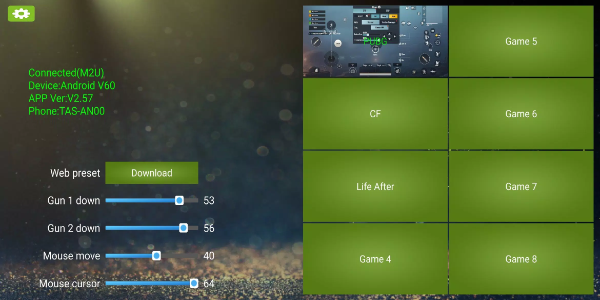
How to Use KuGamer
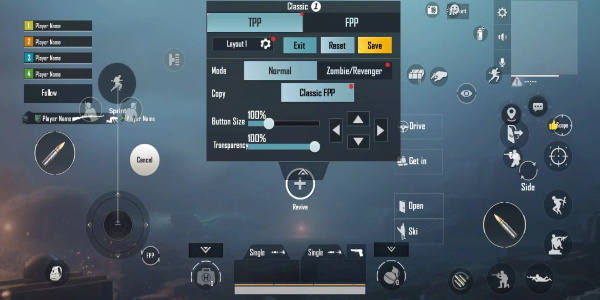
Editing Key Mapping
Open KuGamer and go to the key mapping section.
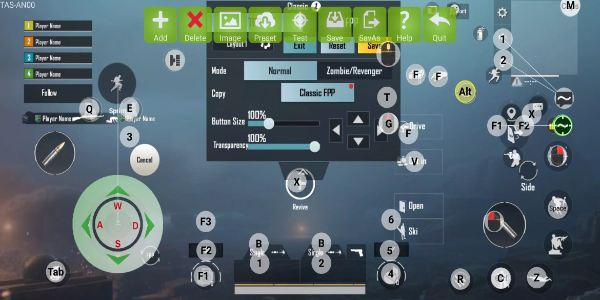
Choose the keys or buttons on your mouse and keyboard converter that you want to adjust.
Assign specific functions or actions to each key as you prefer.
Save your custom key mappings for later use or for different scenarios.
Saving and Managing Configurations
Once you've customized your key mappings, use the "Save" or "Save As" option to store your current setup.
Create multiple configurations customized for various games or applications by saving each one individually.
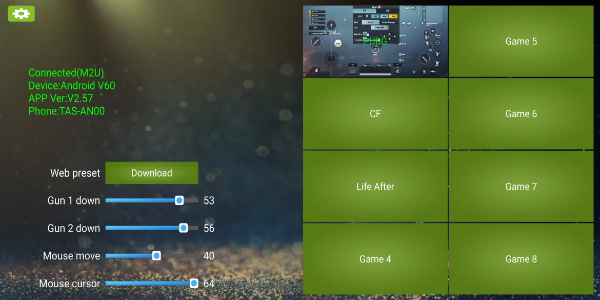
Switch between saved configurations easily via the app interface whenever necessary.
Updating Firmware
Look for firmware updates in the KuGamer app settings or the firmware update section.
Follow the on-screen prompts to download and install the latest firmware version for your mouse and keyboard converter.
Make sure your device is connected to the internet for a smooth update process.
Navigating the User Interface
KuGamer features a user-friendly interface built for simple navigation.
Access key mapping tools, configuration management, and firmware updates through well-marked menus and icons.
Use tooltips or built-in help guides to better understand features and functions.
Optimizing Performance
Try different key mappings to find the setup that fits your gaming style or work requirements.
Adjust settings to improve control and responsiveness in your preferred games or software.
Leverage KuGamer’s flexibility to adapt your setup to different situations, enhancing overall performance and satisfaction.
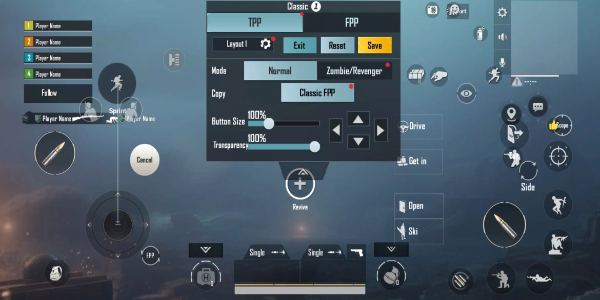
Features of KuGamer
Customizable Key Mapping
KuGamer lets you fine-tune your gaming or work setup with fully customizable key mappings. Whether you're optimizing for specific games or improving productivity, this feature ensures every input is tailored to your style—boosting efficiency and results.
Save and Manage Configurations
With KuGamer, you can save and manage multiple key mapping setups with ease. Quickly switch between configurations for different games or tasks without reconfiguring manually—saving you time and effort.
Firmware Update Capability
Keep your equipment current with KuGamer’s built-in firmware updates. Regular upgrades improve device performance, add compatibility, and introduce new features for a better user experience.
Intuitive User Interface
KuGamer’s user interface is designed for simplicity, making it easy to edit key mappings and update firmware. Clear menus and instructions help users of all experience levels customize settings without confusion.
Compatibility and Support
KuGamer works with a wide variety of mouse and keyboard converters, ensuring broad compatibility across brands and models. Enjoy flexible device selection and seamless integration into any gaming or professional setup.
Enhanced Control and Performance
By optimizing key mappings, KuGamer improves control and responsiveness in games and productivity apps. Fine-tune your configuration to execute commands precisely, giving you a competitive advantage or enhancing workflow efficiency.
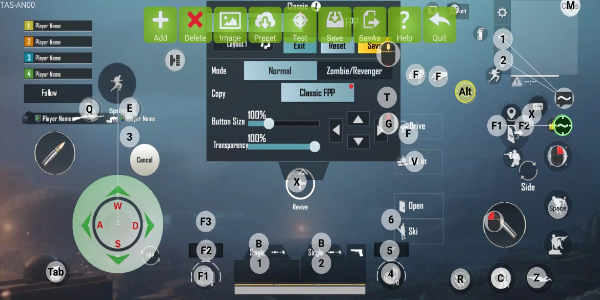
Unlock Precision and Efficiency with KuGamer
Take full control of your gaming and work performance with KuGamer. Customize key mappings, handle configurations effortlessly, and keep your device updated. Download KuGamer today to optimize your setup and elevate your results.




- SMASH LEGENDS Action Fight Beginner's Guide 1 weeks ago
- Saw remote-controlled vehicle in lead Crossword Clue - Try Hard Guides 1 weeks ago
- Sack Latin person encouraging a criminal Crossword Clue - Try Hard Guides 1 weeks ago
- Epic Seven Character Empowerment Guide – Best Ways to Get Stronger 1 weeks ago
- Top RAID Teams & Tactics for Scarab King 1 weeks ago
- Raise Animals Codes (October 2025) 2 weeks ago
-

Personalization / 1.0.0 / by DigitalPowerDEV / 11.10M
Download -

Lifestyle / 1.5 / by BetterPlace Safety Solutions Pvt Ltd / 9.60M
Download -

Video Players & Editors / v1.02 / by TateSAV / 13.80M
Download -

Productivity / 2.8 / 10.16M
Download




-
 All Passwords and Padlock Combinations in Lost Records: Bloom and Rage
-
 30 best mods for The Sims 2
-
 Best Android PS1 Emulator - Which PlayStation Emulator Should I Use?
-
 Tokyo Game Show 2024 Dates and Schedule: Everything We Know So Far
-
 Leaked Footage Unveils Mythical Epic: Black Myth: Wukong
-
 Android welcomes "Dynasty Legends" style game, "Otherworld Three Kingdoms"