

 Download
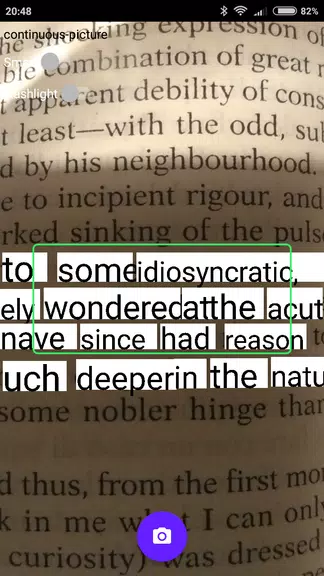
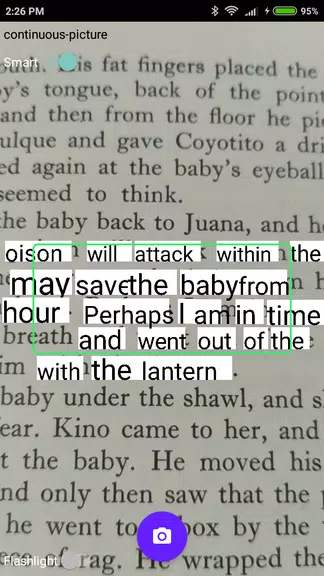
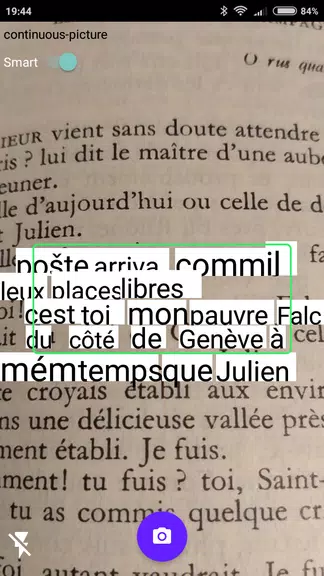
 The OCR Plugin is an incredibly useful tool designed to perform Optical Character Recognition (OCR) on behalf of other applications, enabling you to effortlessly extract text from printed materials using your device's rear camera. To use this plugin effectively, your device must have a back camera with autofocus and access to Google Play services. It's important to note that the plugin currently supports only the Latin Alphabet. Compatible with various apps, including Online, Offline Dictionaries, and Online Thesaurus by Livio (version 3.5 or later), the OCR Plugin is an essential tool for anyone looking to digitize text from physical documents. Should you face any challenges with text recognition, consider updating Google Play Services to the latest version or clearing its data to resolve the issue.
Features of OCR Plugin:
Seamless Integration: The OCR Plugin effortlessly integrates with supported applications, enabling users to capture text from printed materials using their device's camera with ease.
Accurate Text Recognition: Leveraging advanced Optical Character Recognition technology, this plugin accurately captures and converts text from a variety of sources, ensuring high precision in text extraction.
User-Friendly: The app's straightforward point-and-capture functionality simplifies the process of extracting text from printed books, newspapers, and other materials, eliminating the need for manual typing.
Regular Updates: The developers are committed to delivering frequent updates, ensuring the app remains compatible with the latest devices and software for a seamless user experience.
FAQs:
Does the app work with all applications?
- No, the OCR Plugin is designed to work exclusively with applications that have integrated this plugin for text capture functionality.
Can the app recognize text in languages other than the Latin alphabet?
- Currently, the app only supports text recognition in the Latin alphabet.
What should I do if text recognition is not working?
- If you experience issues with text recognition, ensure you update Google Play Services to its latest version and consider clearing its data.
Conclusion:
The OCR Plugin app provides a convenient and reliable method for capturing text from printed materials using your device's camera. With its seamless integration, accurate text recognition, and regular updates, this plugin significantly enhances the user experience and streamlines the process of extracting information from physical sources. Download the OCR Plugin today and unlock the ability to effortlessly capture text with just a few clicks.





Elden Ring Nightreign Update 1.01.1: Solo Mode Enhanced, Bugs Resolved, Gameplay Balanced
Alienware Area-51 Laptops Get First Price Cut
- Best Anime Like Cowboy Bebop 22 hours ago
- Trump Tariffs Slam Nintendo, Sony Stocks 1 days ago
- Early Access Feedback on La Quimera 2 days ago
- 2025 Free Comic Day: Top 13 Reads 2 days ago
- Firebreak: The Year's Strangest Shooter - FBC 2 days ago
- Nintendo Sparks Zelda Wind Waker HD Switch 2 Speculation 2 days ago
- PS5 Sales Surge, Sony Reports 2 days ago
- Atlan's Crystal Game Debuts Globally on iOS, Android 3 days ago
- Pixel Starships 2 Launches Pre-Registration 3 days ago
-

Personalization / 1.0.0 / by DigitalPowerDEV / 11.10M
Download -

Video Players & Editors / v1.02 / by TateSAV / 13.80M
Download -

Lifestyle / 1.5 / by BetterPlace Safety Solutions Pvt Ltd / 9.60M
Download -

Productivity / 2.8 / 10.16M
Download




-
 All Passwords and Padlock Combinations in Lost Records: Bloom and Rage
-
 30 best mods for The Sims 2
-
 Tokyo Game Show 2024 Dates and Schedule: Everything We Know So Far
-
 Best Android PS1 Emulator - Which PlayStation Emulator Should I Use?
-
 Leaked Footage Unveils Mythical Epic: Black Myth: Wukong
-
 Top 10 Best Cards in LUDUS - Merge Battle Arena PvP