


Screen Recorder Video Recorder
Category : Video Players & EditorsVersion: 10.5.8
Size:31.71MOS : Android 5.1 or later
 Download
 Capture and share every moment on your Android device with Screen Recorder by AppSmartz. This incredible app lets you effortlessly record your device's screen while simultaneously showcasing what your front camera sees. Whether you want to create gameplay videos or capture important tutorials, Screen Recorder by AppSmartz has got you covered. With customizable options such as resolution, frame rate, and bit rate, you have full control over the quality of your recordings. Additionally, you can remove the watermark and even choose to hide the convenient, movable recording button. Join the AppSmartz community and share your videos instantly with friends and fellow users. Don't miss a single moment with this exceptional video recorder app.
Features of Screen Recorder by AppSmartz:
- Record your device screen: The app allows you to easily record everything that happens on your device screen, allowing you to capture gameplay videos, app tutorials, or any other activity you want to share with others.
- Simultaneous front camera recording: Along with recording the screen, you can even capture what your front camera is seeing, making it perfect for vlogs, reactions, or adding a personal touch to your recordings.
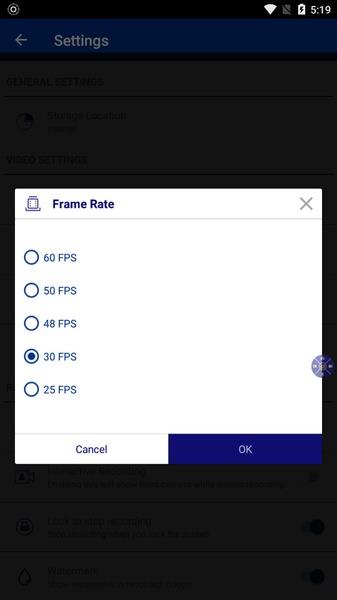
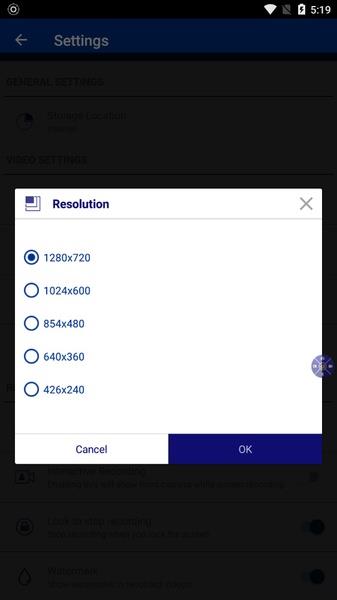
- Customizable video settings: The app offers a range of options to customize your videos, such as choosing the resolution, frame rate, bit rate, and even removing the watermark, giving you complete control over the quality of your recordings.
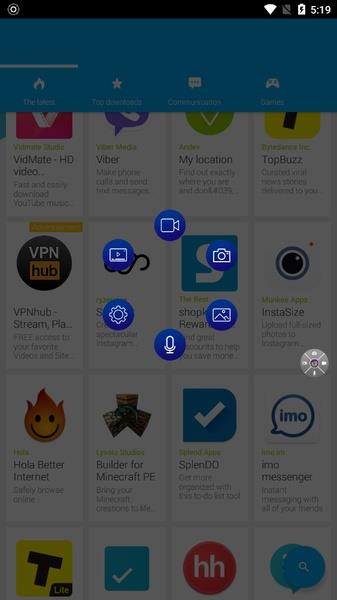
- Convenient on-screen controls: Screen Recorder by AppSmartz provides a handy semi-transparent button that can be easily placed on the screen, allowing you to pause the recording or perform other actions without interrupting your workflow.
- Optional button deactivation: If you prefer a clutter-free recording experience, you have the freedom to deactivate the on-screen button from the options menu, providing you with a cleaner interface for your recordings.
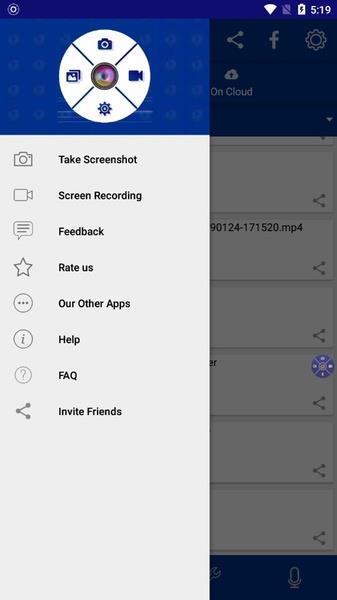
- Quick sharing options: Once your recording is complete, you can quickly share your videos with friends or the AppSmartz community, enabling you to showcase your creations and engage with others.
Conclusion:
Screen Recorder by AppSmartz is a powerful and user-friendly app that lets you effortlessly record your device screen and enhance your videos with the added feature of front camera recording. With customizable settings, convenient on-screen controls, and easy sharing options, this app truly simplifies the process of capturing and sharing your memorable moments. Click now to download and unlock a world of possibilities for recording and sharing on your Android device.





Elden Ring Nightreign Update 1.01.1: Solo Mode Enhanced, Bugs Resolved, Gameplay Balanced
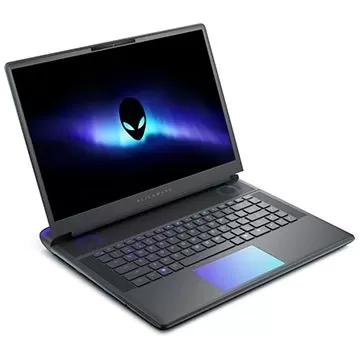
Alienware Area-51 Laptops Get First Price Cut
- Best Anime Like Cowboy Bebop 1 days ago
- Trump Tariffs Slam Nintendo, Sony Stocks 2 days ago
- Early Access Feedback on La Quimera 2 days ago
- 2025 Free Comic Day: Top 13 Reads 2 days ago
- Firebreak: The Year's Strangest Shooter - FBC 2 days ago
- Nintendo Sparks Zelda Wind Waker HD Switch 2 Speculation 2 days ago
- PS5 Sales Surge, Sony Reports 3 days ago
- Atlan's Crystal Game Debuts Globally on iOS, Android 3 days ago
- Pixel Starships 2 Launches Pre-Registration 3 days ago
-

Personalization / 1.0.0 / by DigitalPowerDEV / 11.10M
Download -

Video Players & Editors / v1.02 / by TateSAV / 13.80M
Download -

Lifestyle / 1.5 / by BetterPlace Safety Solutions Pvt Ltd / 9.60M
Download -

Productivity / 2.8 / 10.16M
Download




-
 All Passwords and Padlock Combinations in Lost Records: Bloom and Rage
-
 30 best mods for The Sims 2
-
 Tokyo Game Show 2024 Dates and Schedule: Everything We Know So Far
-
 Best Android PS1 Emulator - Which PlayStation Emulator Should I Use?
-
 Leaked Footage Unveils Mythical Epic: Black Myth: Wukong
-
 Top 10 Best Cards in LUDUS - Merge Battle Arena PvP