

EasyCanvas -Graphic tablet App
Category : ProductivityVersion: 4.7.6
Size:28.50MOS : Android 5.1 or later
 Download
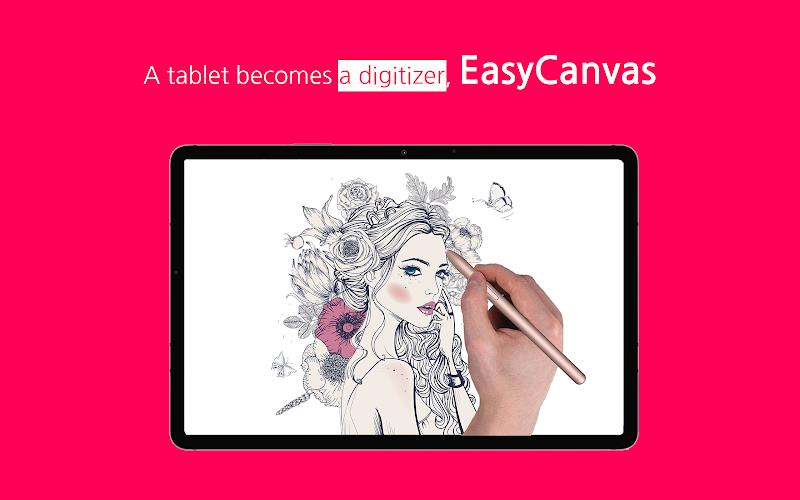
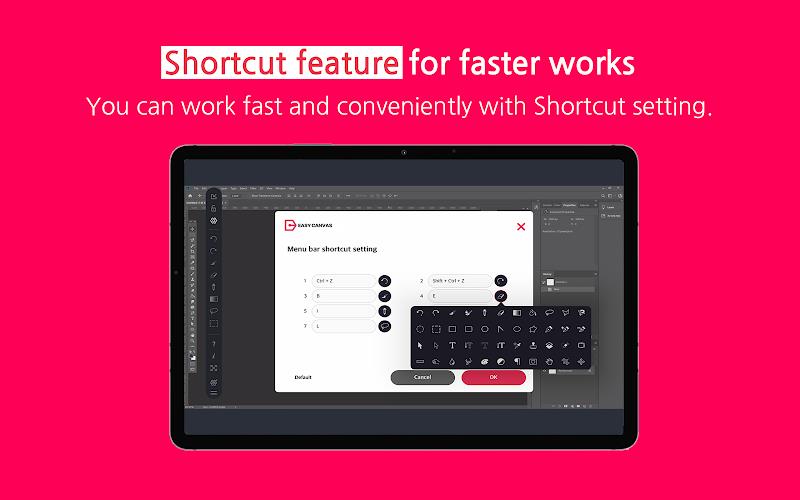
 Transform your tablet into a liquid crystal tablet with EasyCanvas! This EasyCanvas -Graphic tablet App app allows you to draw directly in programs like Photoshop and Clip Studio using your tablet. No need to invest in an expensive LCD tablet if you already have a Galaxy Tab and S Pen. EasyCanvas combines the outstanding performance of the Galaxy Tab with its own advanced technology to create the ultimate LCD tablet experience. With features like "Palm Rejection" and support for "Pen Pressure" and "Tilt", it feels just like drawing on paper. Plus, Easy&Light's virtual display solution lets you use your tablet as an extended monitor. With both wired and wireless connection support, you can work anytime and anywhere. Experience it yourself with the free 3-day trial!
Features of EasyCanvas -Graphic tablet App:
- Turn your tablet into a liquid crystal tablet: EasyCanvas allows you to transform your tablet into a powerful liquid crystal tablet, making it a versatile tool for digital drawing and design.
- Seamless compatibility with PC programs: With EasyCanvas, you can draw directly in popular PC programs like Photoshop and Clip Studio using your tablet, eliminating the need for an expensive LCD tablet.
- Excellent performance with Galaxy Tab and S Pen: If you own a Galaxy Tab and S Pen, EasyCanvas leverages the excellent hardware of these devices to deliver a smooth and seamless drawing experience.
- Familiar drawing experience: EasyCanvas -Graphic tablet App offers features like "Palm Rejection" which allows you to draw with your palm on the screen, as well as "Pen Pressure" and "Tilt" support for the S Pen, providing a familiar drawing experience akin to drawing on paper.
- Independent Virtual Display Solution: EasyCanvas's virtual display solution extends your tablet's display, allowing it to be used as an extended monitor in triple or higher environments. This provides enhanced productivity and versatility, similar to having a dual monitor setup.
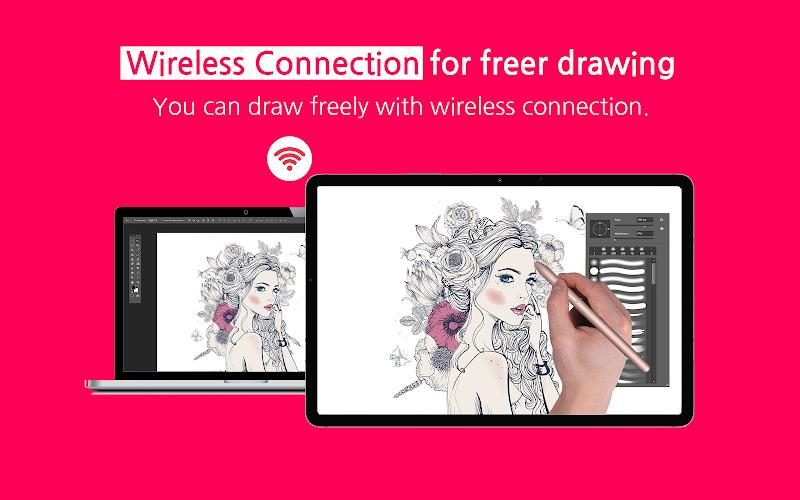
- Simultaneous wired/wireless connection support: EasyCanvas supports both stable USB connection and convenient wireless connection via Wi-Fi, enabling you to work anywhere, anytime, and in any way you prefer.
Conclusion:
EasyCanvas -Graphic tablet App is the ideal app for artists, designers, and enthusiasts who want to unlock the full potential of their tablet as a digital drawing tool. By seamlessly integrating with popular PC programs, providing excellent performance with Galaxy Tab and S Pen, and offering features like palm rejection and virtual display solution, EasyCanvas delivers an exceptional drawing experience. With support for wired and wireless connections, this app provides unmatched flexibility and convenience, making it a must-have for anyone looking to enhance their digital artistry. Try it for free for 3 days and unlock a whole new world of tablet drawing possibilities. Download EasyCanvas now and unleash your creativity!



RAID Shadow Legends: Mythical Champions Rankings
Elden Ring Nightreign Update 1.01.1: Solo Mode Enhanced, Bugs Resolved, Gameplay Balanced
- Alienware Area-51 Laptops Get First Price Cut 1 days ago
- Best Anime Like Cowboy Bebop 1 days ago
- Trump Tariffs Slam Nintendo, Sony Stocks 2 days ago
- Early Access Feedback on La Quimera 2 days ago
- 2025 Free Comic Day: Top 13 Reads 3 days ago
- Firebreak: The Year's Strangest Shooter - FBC 3 days ago
- Nintendo Sparks Zelda Wind Waker HD Switch 2 Speculation 3 days ago
- PS5 Sales Surge, Sony Reports 3 days ago
- Atlan's Crystal Game Debuts Globally on iOS, Android 3 days ago
-

Personalization / 1.0.0 / by DigitalPowerDEV / 11.10M
Download -

Video Players & Editors / v1.02 / by TateSAV / 13.80M
Download -

Lifestyle / 1.5 / by BetterPlace Safety Solutions Pvt Ltd / 9.60M
Download -

Productivity / 2.8 / 10.16M
Download




-
 All Passwords and Padlock Combinations in Lost Records: Bloom and Rage
-
 30 best mods for The Sims 2
-
 Tokyo Game Show 2024 Dates and Schedule: Everything We Know So Far
-
 Best Android PS1 Emulator - Which PlayStation Emulator Should I Use?
-
 Leaked Footage Unveils Mythical Epic: Black Myth: Wukong
-
 Top 10 Best Cards in LUDUS - Merge Battle Arena PvP