

Colors Icon Pack
Category : PersonalizationVersion: 23.2
Size:50.60MOS : Android 5.1 or later
Developer:Ronald Dwk
 Download
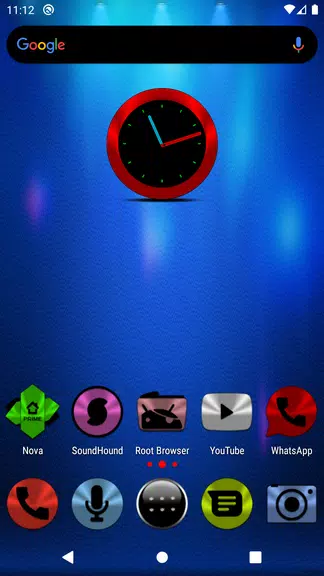
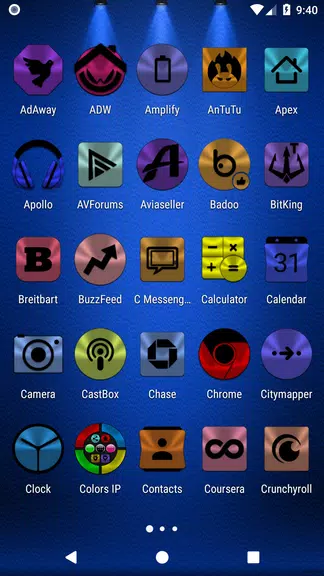
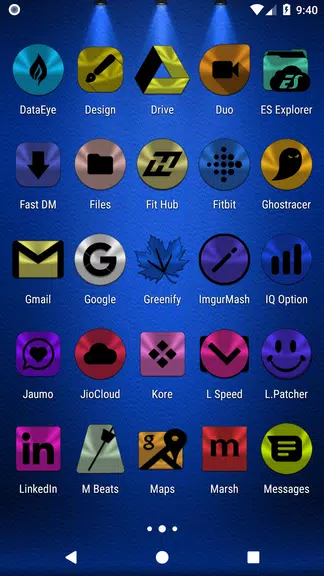
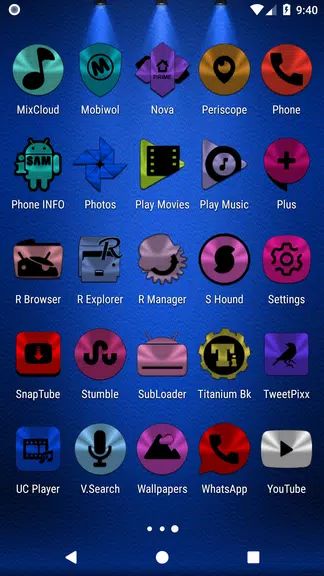
 Introducing the Colors Icon Pack app: Are you looking to give your mobile device a vibrant new look? Then look no further! This app boasts an incredible collection of over 9200 colorful HD icons, designed to transform the appearance of your phone or tablet. With over 300 unique icon packs available in various colors, shapes, and designs, you're sure to find the perfect set to match your style. Whether you prefer eye-catching, bold icons or a more refined, subtle aesthetic, Colors Icon Pack has something for everyone. Say goodbye to those dull default icons and download this app today to give your device a stunning makeover!
Features of Colors Icon Pack:
Wide Variety of Icons: Dive into a world of customization with over 9200 colorful HD icons. Colors Icon Pack empowers you to tailor your mobile phone or tablet to reflect your unique preferences.
Folder Icons and App Drawers: Simplify organization with 378 folder icons and 157 app drawers. Managing your apps and files has never been more stylish and efficient.
Dynamic Calendars and Analog Clock: Elevate your device's functionality with 448 dynamic calendars and an analog clock widget. These features not only look great but also enhance your daily use.
Wallpaper Options: Personalize further with 350 HD cloud-based wallpapers. Choose and save them to your preferred location for a truly customized touch.
Support and Extras: Benefit from localization in 19 languages, quick apply features for your default launcher, and over 2000 system icons. This ensures a complete and seamless customization experience.
Tips for Users:
Utilize the icon masking feature to maintain a cohesive look across all your icons, ensuring your device's aesthetic is unified and polished.
Make use of the built-in search function to quickly find specific icons, streamlining your customization process.
Bookmark your favorite icons for easy access, allowing you to switch up your device's look whenever you're in the mood for a change.
Explore the option to search for wallpapers and save them in your preferred location, adding an extra layer of personalization to your device.
Use the search function within the FAQs to quickly find answers to common questions, making your experience with the app even smoother.
Conclusion:
Colors Icon Pack is your ultimate solution for device personalization, offering a vast collection of over 9200 colorful HD icons, along with folder icons, app drawers, dynamic calendars, and more. With support for multiple launchers and a plethora of customization options, this icon pack is essential for anyone looking to refresh their mobile phone or tablet's appearance. Download Colors Icon Pack today and transform your device into a unique masterpiece that reflects your personal style!






- Eterspire Debuts Next Main Quest Line 1 weeks ago
- Ragnarok X: Next Generation Goes Worldwide 2 weeks ago
- LEGO Deals Arrive for Labor Day 2 weeks ago
- Top 10 Marvel Strike Force Teams for 2025 2 weeks ago
- Borderlands 4 Release Moved Up to April 2025 2 weeks ago
- Whiteout Survival: Mastering Troop Types for Victory 2 weeks ago
-

Personalization / 1.0.0 / by DigitalPowerDEV / 11.10M
Download -

Video Players & Editors / v1.02 / by TateSAV / 13.80M
Download -

Lifestyle / 1.5 / by BetterPlace Safety Solutions Pvt Ltd / 9.60M
Download -

Productivity / 2.8 / 10.16M
Download




-
 All Passwords and Padlock Combinations in Lost Records: Bloom and Rage
-
 30 best mods for The Sims 2
-
 Best Android PS1 Emulator - Which PlayStation Emulator Should I Use?
-
 Tokyo Game Show 2024 Dates and Schedule: Everything We Know So Far
-
 Leaked Footage Unveils Mythical Epic: Black Myth: Wukong
-
 Android welcomes "Dynasty Legends" style game, "Otherworld Three Kingdoms"